Getting Started
View Code Examples in:
Accessing the User Dashboard
To access your user dashboard, you need an account, which you can do by visiting this link. Come back when you do. When you have an account, hover your mouse over the "Profile" button near the top of the webpage and click the "Dashboard" link.

After loading up the dashboard page, you will be presented with a rather blank web-page, consisting of am empty body with a sidebar on the left side of your screen.

The first link, starting from the top, is your "My Utilities" button.

This is where all of your utilities will be kept for you to easily access, edit and delete them.

Clicking the "Delete" button on one of your utilities will prompt you with a screen, asking if you want to confirm the utility's deletion.

Clicking the "Accept" button will give you one more prompt as a final confirmation that you want to get rid of the chosen utility. This is to make you aware that once you delete the utility, it is gone for good. Fech Space makes you type the words, "Delete Now" to prevent any accidental deletions by the user.

To begin the process of writing a new utility, you will click the "Create New Utility" button.

Here, you will be presented with the utility interface. This interface shows up for both new utilities and when you click the "Edit" button on existing utilities. All work that occurs constructing your utilities will happen on this screen.

You will choose your utility type, this will indicate how the user queries your utility and how it presents data back.



Following this you have to choose what exactly how your utility will deliver whatever it outputs. As of today, the following are your choices:
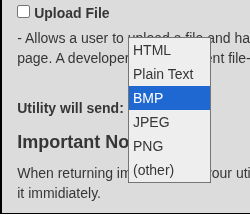
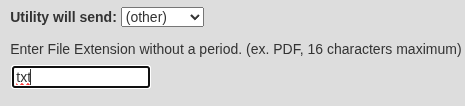
If you wish to send your utility's output as a file with an extension not shown in the list, you may select the '(other)' option to type in the extension as shown below:
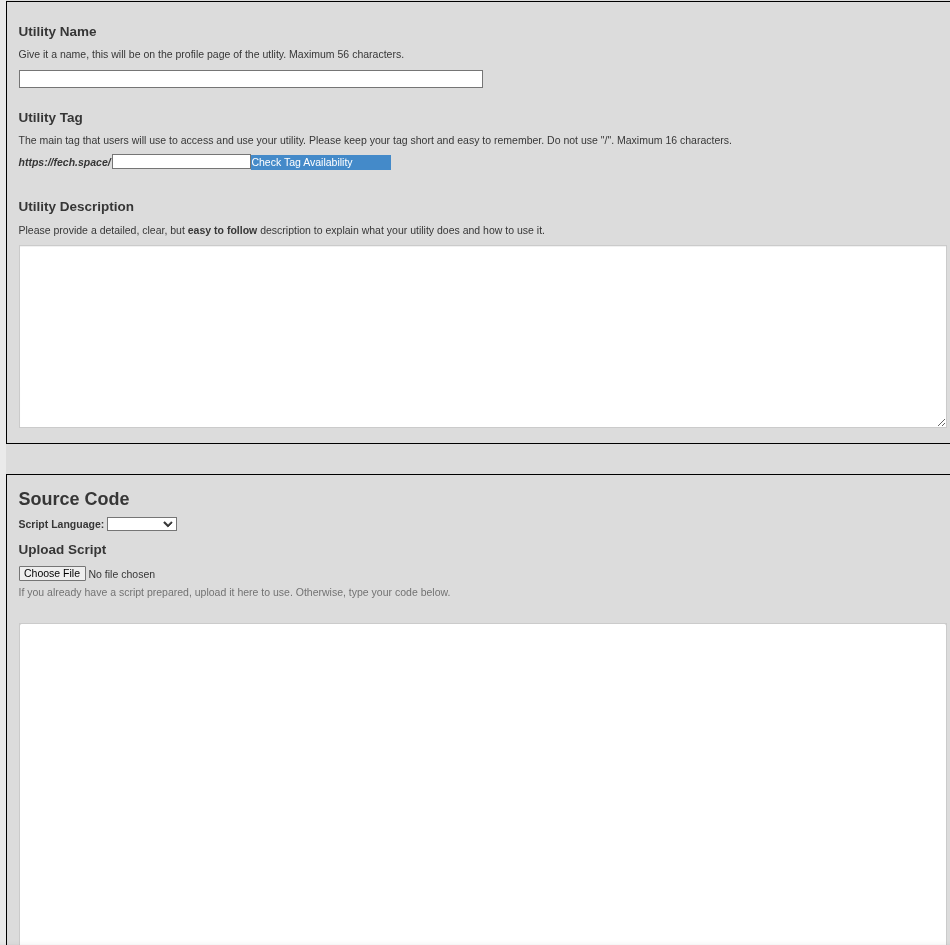
Next, you will get to the defining part of your utility, which consists of giving it a name, description, URL-tag, source code, as well as an example of how the user would use it.
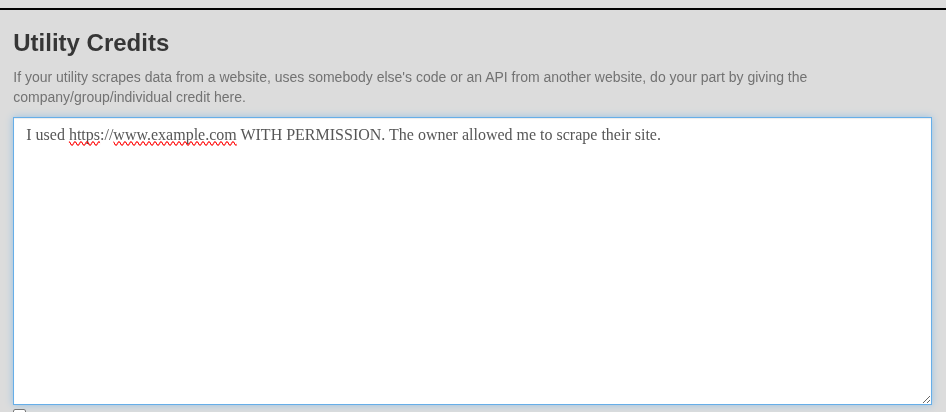
Before submitting your utility, it is best to acknowledge any usage of websites or any other publicly available resources you used to make your utility work.
Now that we know how to put our code into the utility dashboard, let's talk about how to actually write code to work with Fech Space.
Introduction to Creating Utilities
Creating utilities for Fech Space is incredibly easy, even if you are a programmer with little experience or skill. Fech Space is designed to keep all utilities made within the platform simplistic, easy to follow, and to just do a small task. If you are a script-kitty, this will be easy to follow.
Before you start reading this guide, it is assumed that you know what GET and POST requests are and how to send requests through both methods.
Sending Simple Output (Hello, world)
Think of the first example you saw or wrote in your target programming language. It was most likely a simple script that outputted "Hello, world." to a console. To do the same thing for a Fech Space utility, I have a great news for you - it is 100% the same exact way.
Take a look here:
import sys

def main():
    print("Hello, world.")

if __name__ == "__main__":
    main()
That's it. Whatever you send to your preferred programming language's pointer to an output, that will be what the client see. This also includes if your script errors out. The user will see it. But, don't let it do that unless that is part of your utility's function.
Getting Input with GET Request (arguments/parameters)
Now, let's take it up just a notch. If you have a utility that has variable output, depending on what the client throws its way, then you need a way to be able to capture that. With utilities, your programs present you the arguments/parameters the same way they would if your script was ran out of a console. Command first, followed by words/flags/phrases.
For example, if you were to send a GET request to 'https://fech.space/example/this/is/a/test', the data between each forward-slash would be retrieved by your utility as an argument. So, with this example, you would grab these with the following code:
import sys

def main():

    print("Fechspace Python Example with arguments:")

    # Put all arguments into array. Fech Space parses the forward-slashes out and gives you the data between each one.
    args = sys.argv[1:]

    # Print each argument to screen.
    for arg in args:
        print(arg)

if __name__ == "__main__":
    main()
Getting Input with POST Request (single parameter)
Fetching input from a POST request is the very same as the above example, but actually easier. all POST requests will send all input as a single argument. It is up to you to parse it into your own arguments or sections.
Error-Handling (no parameters when expecting, incorrect input)
If your utility specifically requires arguments or parameters in-order to function, you need to expect errors to occur. A user might make a request with no parameters, so you need to provide either an error message or a usage message, showing how to use the tool. Below is an example:
import sys

if __name__ == "__main__":
    # If your utility requires at least one argument, you must send a plain-text output, starting with "Usage:". This will force a plain-text output, which is good if your utility outputs anything else.
    if len(sys.argv) < 2:
        print("Usage: https://fech.space/test/[decimal]")
        exit()
    # if something goes wrong, such as an incorrect format for an argument, you must output a plain-text output, starting with "Error:" This will also force a plain-text output.
    try:
        val = float(sys.argv[1])
    except:
        print(f"Error: {sys.argv[1]} is not a number.")
        exit()

    print("You made it!");
One thing to notice, is the start of each output message. One starts with "Usage" while the other starts with "Error:". Either is okay, but at least ONE of these MUST be used when something goes wrong. If your utility outputs anything other than plain text, Fech Space will detect the "Error:" or "Usage:" flag and force the output as text.
Guidelines and Guardrails (rules/do's/don'ts)
Now, you know how to make utilities, congratulations! Before you wonder-off and make every useful tool under the sun, there are some important things you need to know and guidelines that you need to follow.
1) You are limited to 250MB of memory for your utility. Any more that is occupied, your script will automatically stop running and throw a memory error. If your utility goes live with this issue, unless it is a genuine part of its functionality, it is subject for removal.
2) Your utility needs to finish executing is less than 10 seconds. If it goes further, it will simply exit. If your utility goes live with this issue, unless it is a gunuine part of its functionality, it is subject for removal. So, if your utility requires arguments and the user does not send any, you need to have an output to handle it, starting with either "Usage:" or "Error:".
3) When a utility runs, it runs in a brand-new, clean and empty directory. Your utility's payload is to happen ONLY in this directory.
4) No executable files to be written to disk or executed. This will subject your utility to removal.
5) In-line assembly is not allowed, nor can you write and execute said code. This will subject your utility to removal.
To see the remainder of rules, see the Terms, Conditions and Rules section of the Register Account page.
Before you are allowed to create an account and utilities, you must agree to these terms, which makes you responsible if something bad or wonky happens. So behave.
This guide was created to help you get started with coding your own utilities on Fech Space. To view more source code for further inspiration, feel free to check out the many available utilities on the website, made by other users like yourself.